
MOLI Forms
collect data from the production floor
Enter it once. MOLI does the rest.
MOLI Forms save time, produce records that satisfy your auditors, and eliminate the costs and risks of manual data transcription.
Signatures can't be forgotten. Timestamps can't be wrong. Connected devices log automatically alongside manual entries, and nobody has to decipher anybody's handwriting or re-enter anything.
How It Works: The Admin Perspective
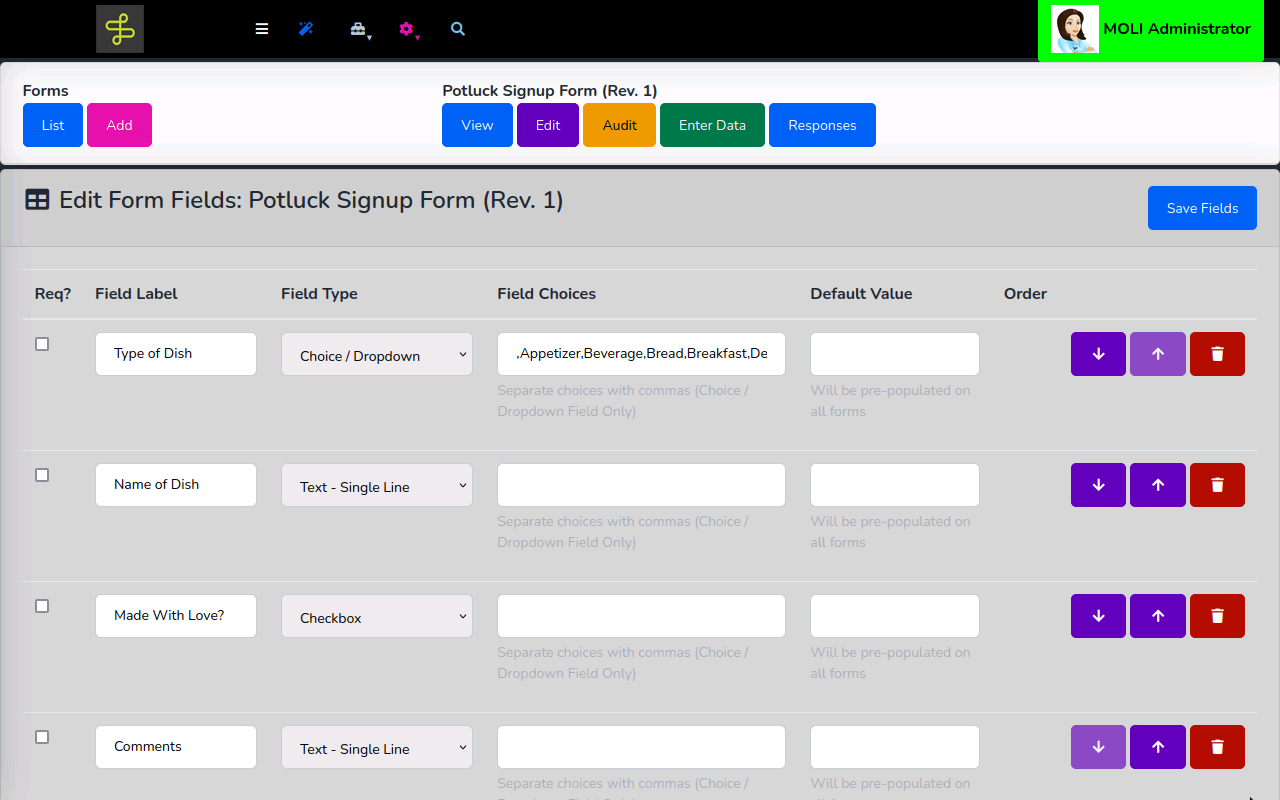
Forms are authored in a field editor. Each field gets a label, a data type, an optional default value, and a required flag. Color-coding provides instant visual identification across kiosk screens. Table mode displays prior responses inline as operators log — useful for recurring logs and shift-by-shift records.
A form's Roles setting controls which personnel can fill it out. Forms can require Active and Approved status before data entry is permitted — supporting change control in regulated environments — with separate permission controls governing whether approved forms can be edited or re-authored.
Form Responses can exported on-demand or sent to other systems through MOLI Integrations.
Available Form Field Types…
- Text (single-line or multi-line) — notes, lot numbers, open-ended observations
- Number (integer or decimal) — counts, measurements, process parameters
- Number w/Cumulative Total (Job) — a running total that accumulates across all submissions for the active job; ideal for tracking, counts, and logs
- Checkbox — pass/fail, yes/no, present/absent
- Choice / Dropdown — defined selection lists: scrap reasons, inspection results, disposition codes
- Datatypes: Employee, Item, Machine, Operation, Shift, Workcenter — MOLI-native fields that keep responses connected to live production data
How It Works: The Operator Perspective
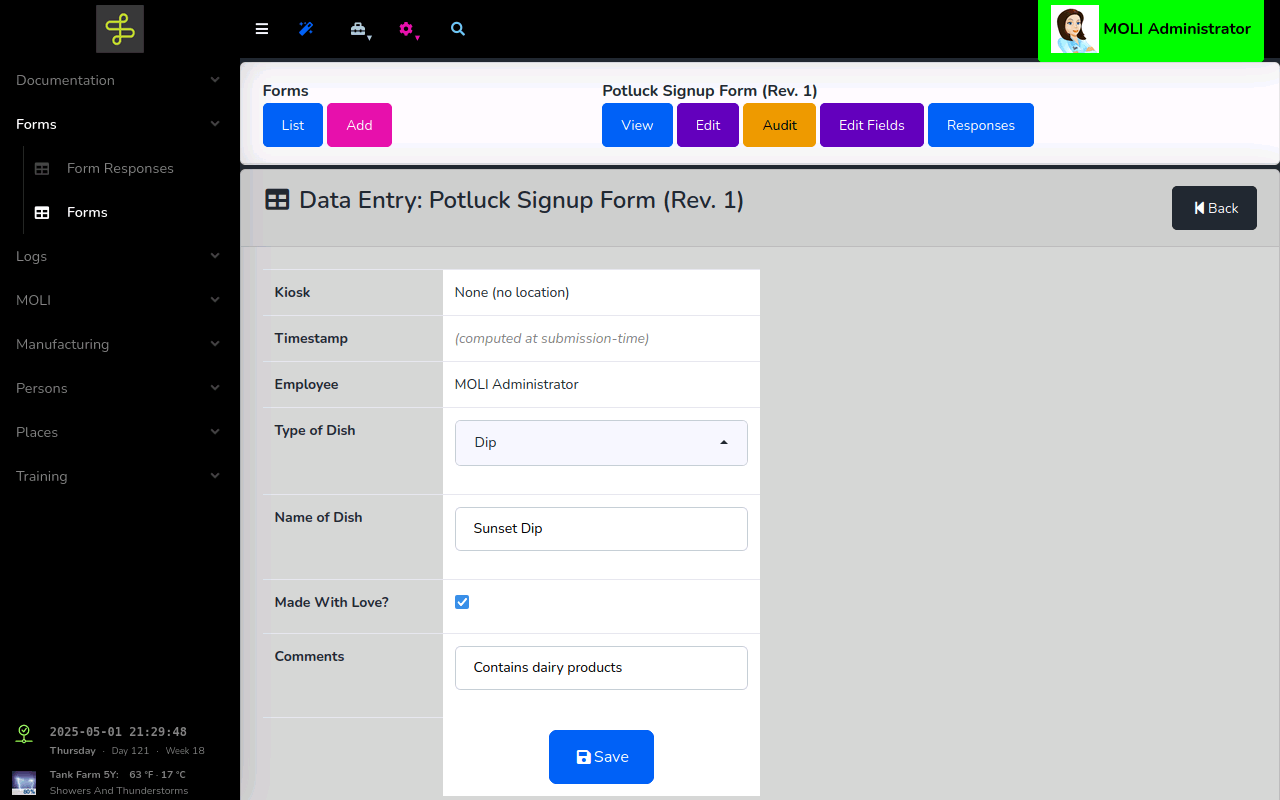
When an operator opens a form at a MOLI kiosk, the context is already set: the submission is automatically tagged with who is logged in, where the kiosk is, when it is, and what job is loaded. The operator fills in the data — nothing more.
Where connected devices are present — environmental sensors, moisture analyzers, weighing scales — MOLI captures their readings directly into the form alongside any manual entries, eliminating transcription entirely. Photo capture on submission is configurable.
Form Response Data
MOLI provides robust interfaces to view and analyze form response data on a per-Form and per-Job basis.
Additionally, form response data are easily exportable on-demand or continuously.
- MOLI Data Export: Download form responses in standard formats: CSV, XLSX, PDF, and more.
- MOLI Integrations: Send form responses to your ERP, DMS, or other connected system.
Compliance-Ready by Design
A paper form can leave the building, get buried under a stack, or become illegible from machine oil and handling. A MOLI form response is timestamped, attributed, indexed, and searchable from the moment it's submitted.
- Signatures can't be forgotten — every response is attributed to an authenticated, identified individual
- Timestamps can't be wrong — submission time is captured by the system, not handwritten by the operator
- Paperwork can't be lost — responses are stored, backed up, and exportable in standard formats
- No deciphering handwriting — structured fields produce clean, consistent records
- No missing entries — required fields are enforced at submission; partial forms don't slip through
- Corrections are traceable — cross-out instead of erase; each correction is permission-controlled, timestamped, attributed, and optionally photographed; nothing is deleted.