
MOLI Visitor Kiosk
self-service visitor management — welcoming, compliant, and wired in
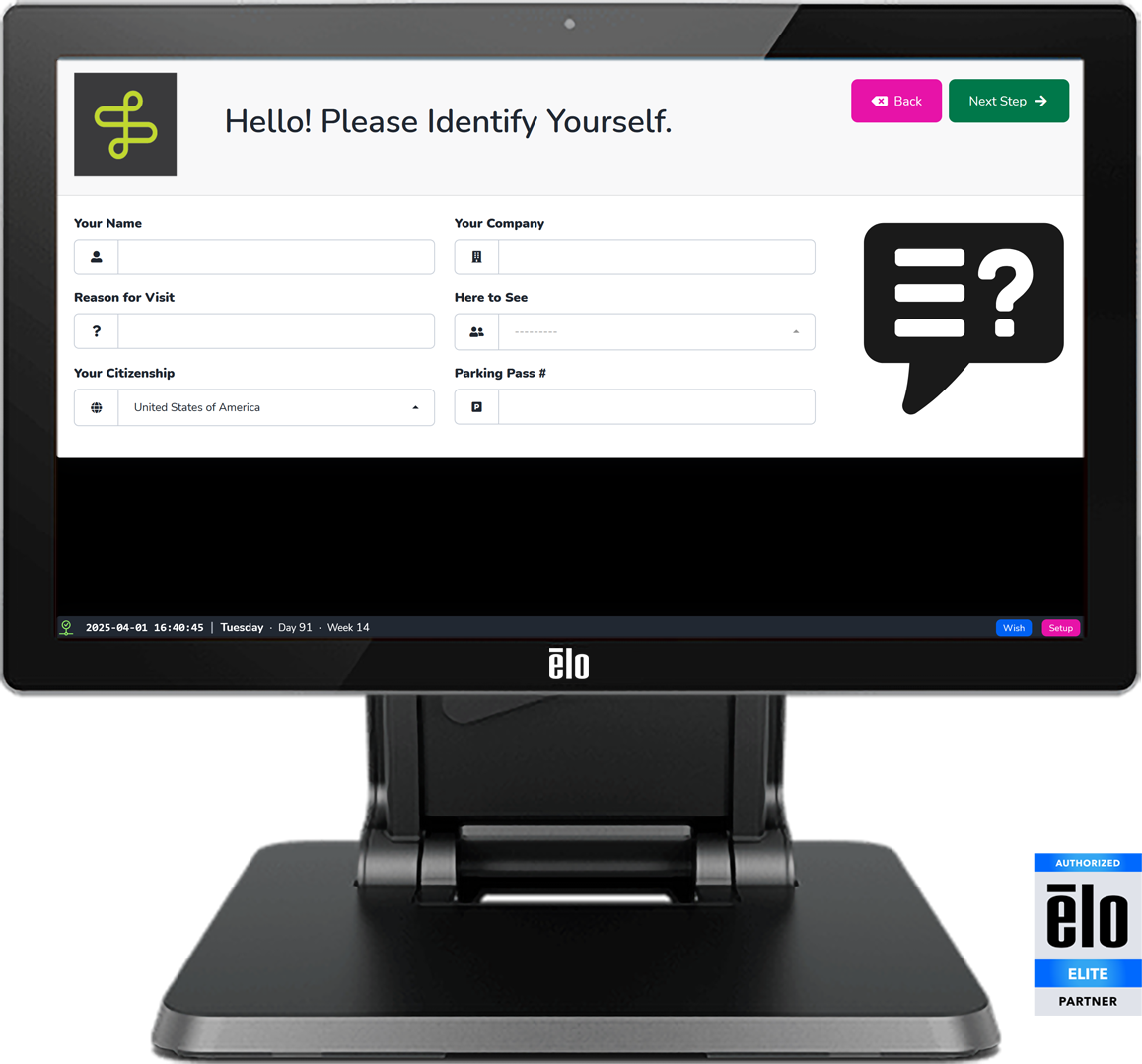
Every Visitor. Welcomed and Documented.
A clipboard on a reception desk tells you a name and a company.
A MOLI Visitor Kiosk tells you citizenship, NDA status, the host who was notified, the photo on the badge, and the exact moment that person walked in — with a timestamped record to prove it.
From ITAR compliance to evacuation headcounts, MOLI connects visitor sign-in to the systems that need to know. The right welcome, the right paperwork, the right notification — automatically, every time.
MOLI Visitor Sign-In Flow
- Welcome — customizable greeting and instructions set the tone.
- Citizenship — collect for ITAR or other export-control compliance.
- Paperwork — sign an NDA, safety acknowledgment, or any configured document.
- Photo — visitor photo captured at the kiosk, with or without a badge.
- Badge — print a visitor badge with photo, name, date, and barcode.
- Notify — the host, or the whole team, by email, SMS, voice call or page.
Key Capabilities
Visitor Paperwork & eSignature
NDAs or any other documents can be presented and signed at the kiosk. Signatures and acknowledgments are stored with the visitor record and exportable for audit.
ITAR & Export Compliance
Citizenship is collected at sign-in and stored with the visitor record — giving facilities with ITAR or other obligations a documented, auditable checkpoint.
Host & Team Notifications
The moment a visitor begins sign-in, MOLI notifies the designated host — or the whole team — via email, SMS, voice call, or overhead page. No one left waiting.
Visitor Photo & Badge Printing
Capture a visitor photo at sign-in. Print badges to any connected label printer — with photo, name, company, date, and a barcode for sign-out.
MOLI Digital Signage Integration
Visitor activity flows directly into the Headcount Digital Signage — real-time attendance visible facility-wide, streamlining evacuations.
Coexists with MOLI Timeclock
The Visitor Kiosk and Timeclock can run on the same physical device — handling visitor sign-in and employee clock-in without compromise or conflict.
Why Not a Paper Logbook — or an iPad?
What the MOLI Visitor Kiosk provides that a paper logbook cannot, and that a consumer tablet with an app only partly can:
- Searchable visitor history and an exportable audit log
- Citizenship / ITAR capture
- NDA and eSignature at the kiosk
- Host notification by email, SMS, voice call, or overhead page
- Visitor photo and badge printing, and barcode sign-out
- Feeds the evacuation headcount display
- Shares hardware with the Timeclock
- Kiosk lockdown on a purpose-built OS, with no MDM certificate expiration risk
- Legible under any lighting conditions
MOLI Certified Kiosk Devices & Peripherals
Badge printing requires a connected Zebra printer. Sign-out scanning works with any attached Zebra scanner, the Elo Edge Connect barcode module, or the device camera for low-volume workflows. The MOLI Visitor Kiosk and MOLI Timeclock can share a single device with no additional licensing cost.
- Fixed Kiosk: Elo I-Series 5 21.5″
- Fixed Kiosk: Elo I-Series 5 10.1″ (preferred)
- Fixed Tablet: Samsung Galaxy A9; Samsung Active5 Pro
- Scanner: Elo Edge Connect (preferred)
- Printer: Zebra ZD220 / ZD230 (preferred)